21 CFR Part 11 at the bench, without the paper trail
At its core, Part 11 asks for three things: records you can trust, signatures that mean something, and proof of who did what and when. LabOperator builds that into the work itself. Analysts follow the SOP step by step, readings come straight from the instrument, and every action lands in an audit trail that can’t be edited.
Every LabOperator release is validated and assessed against Part 11.
Where Part 11 usually breaks down
Most Part 11 findings don’t start in the LIMS. They start at the bench: a balance printout that never got attached, a pH value typed in twice, a signature on a worksheet that nobody can tie to a specific result. With paper and spreadsheets it’s hard to show that a record is complete and hasn’t been changed.
If the work is done on paper, your electronic systems only ever see a copy. LabOperator moves the execution itself into a validated system, so the electronic record is the original.
How LabOperator maps to Part 11
The main requirements, and how LabOperator handles each one in the current release.
| Requirement | What Part 11 asks | How LabOperator handles it |
|---|---|---|
| §11.10(a) Validation | The system is validated for accuracy, reliability and consistent performance | Each release is validated against a documented validation plan and assessed against Part 11. |
| §11.10(b) Copies of records | Complete copies in human-readable and electronic form for inspection | The full audit trail can be exported for review and inspection. |
| §11.10(d) Limited access | Only authorized people can use the system | All access, through the web interface or the APIs, requires a login. Rights are checked on every single operation, not just once at login. |
| §11.10(e) Audit trail | A secure, time-stamped record of every create, change and delete, with earlier values kept | Every create, change or delete, by a person or by automated logic, is recorded and can’t be altered. A change keeps the previous value. The audit trail is retained and backed up with the records. |
| §11.10(f) Operational checks | The permitted order of steps is enforced | Workflows enforce the order of steps. Out-of-sequence actions are blocked, with a message explaining why. |
| §11.10(g) Authority checks | Only authorized people can sign, change records or carry out an operation | Changing records and signing depend on the user’s rights, and every signature asks for the user’s credentials again. |
| §11.10(h) Device checks | The source of data is checked | Each connected instrument type is identified, and the LabOperator Connector linking it is authenticated against the server. Instruments with incompatible interfaces aren’t accepted. |
| §11.50 Signature details | Name, date and time, and meaning of each signature | Each signature shows the signer’s name and unique ID, a UTC timestamp and what the signature means, next to the signed record. |
| §11.70 Signature linking | Signatures can’t be cut, copied or moved to another record | Signatures stay linked to the signed record and are covered by the same audit trail. |
| §11.200 Signature components | At least two components, such as user ID and password | Signing asks for email and password every time, even within a logged-in session. |
| §11.300 ID and password controls | Unique IDs, periodically checked | User IDs are unique. With single sign-on through LDAP or OpenID Connect, your own password policies apply. |
What this looks like at the bench
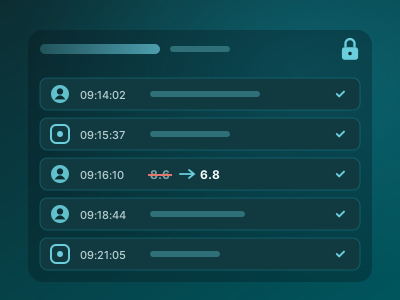
Every action, kept as it happened
When an analyst records a weight or corrects a value, LabOperator writes it to the audit trail with who, what and when. A correction doesn’t overwrite the original. Both stay visible.
Automated steps, like a calculation or an instrument reading, are recorded too, so the trail covers the whole procedure and not just the final result.
Signatures that mean something
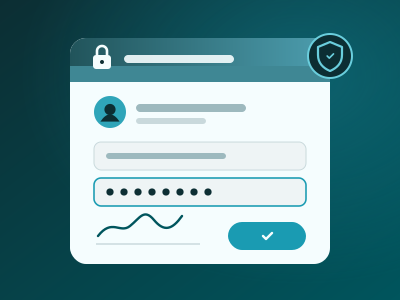
Sign-offs happen inside the workflow, at the step where they belong. The analyst re-enters their credentials, the meaning of the signature is recorded, and the signature is bound to that record.
There’s no way to copy a signature onto another result, and nobody can sign with someone else’s account while logged in as themselves.
Data from the source, not from a notebook
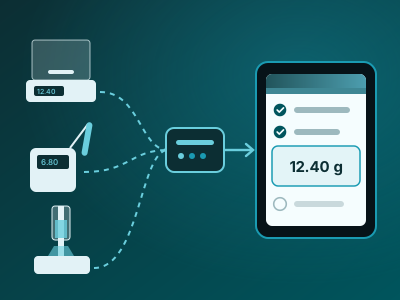
Balances, pH meters and titrators send values straight into the active step through the LabOperator Connector. The system knows which instrument each value came from.
No retyping means no transcription errors, and no question later about whether the number in the record is the number the instrument showed.
What stays with you
Part 11 compliance is never just a software feature. LabOperator gives you the technical controls. A few things remain with your organization:
- Validating LabOperator in your environment for your intended use. Our validation documentation gives you a head start, but it doesn’t replace your own.
- Written policies that hold people accountable for what they sign electronically, and your certification letter to the FDA.
- Controlling who can use the computers and tablets at the bench.
- Your password and account policies, or your identity provider if you use single sign-on.
We’re happy to walk your QA and IT teams through how LabOperator supports each of these.
See it in your own workflow
The quickest way to judge a Part 11 claim is to watch a real workflow, such as a weighing or a pH measurement, from start to finish with the audit trail open next to it. We’ll show you exactly that, and take your QA team through our Part 11 assessment.
Book a walkthroughSee supported instrumentsRead the LEHVOSS case study
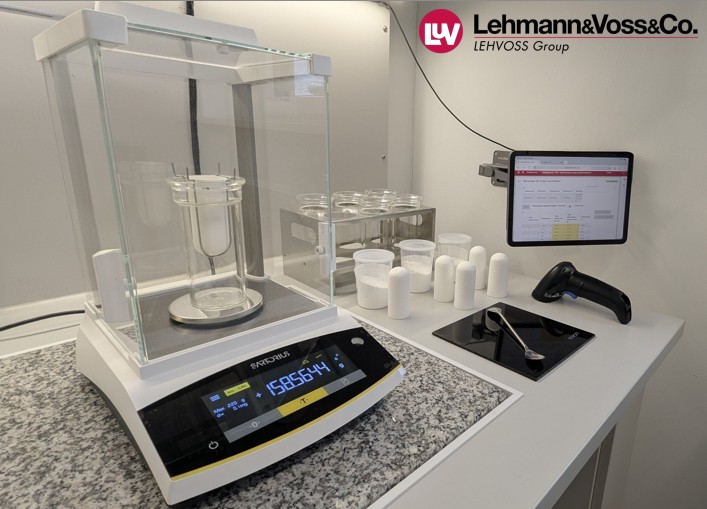
A connected balance and LabOperator workflow in the LEHVOSS QC lab.
Related guides and articles
Common questions about Part 11
Is LabOperator 21 CFR Part 11 compliant?
No software is Part 11 compliant on its own. Compliance depends on how a system is validated and used. LabOperator provides the technical controls Part 11 asks for, such as audit trails, electronic signatures and access control, and every release is validated and assessed against Part 11. Your organization adds the procedures and the validation for your intended use.
Can our QA team see the Part 11 assessment?
Yes. Get in touch and we’ll take your QA team through the Part 11 assessment and validation documentation for the current release.
How do electronic signatures work in LabOperator?
A user signs at the step that needs it and re-enters their email and password. LabOperator records their name, unique ID, the time in UTC and what the signature means. The signature stays linked to that record and appears with it wherever the record is shown.
Can audit trail entries be changed or deleted?
No. Audit trail entries are written automatically and can’t be edited. When someone corrects a value, the original stays in the trail next to the new one.
Does this also cover EU GMP Annex 11?
Annex 11 asks for many of the same controls: validation, audit trails, access control and electronic signatures. It also covers topics on your side, such as supplier management and periodic review, so check the details with your QA team.
Can we use our own identity provider?
Yes. LabOperator supports single sign-on through LDAP and OpenID Connect, so your existing password and account policies apply.
How is instrument data protected?
Instruments connect through the LabOperator Connector, which authenticates against the LabOperator server. Each instrument type is identified, and instruments with incompatible interfaces aren’t accepted. Values go straight into the workflow step, so nobody has to type them in.